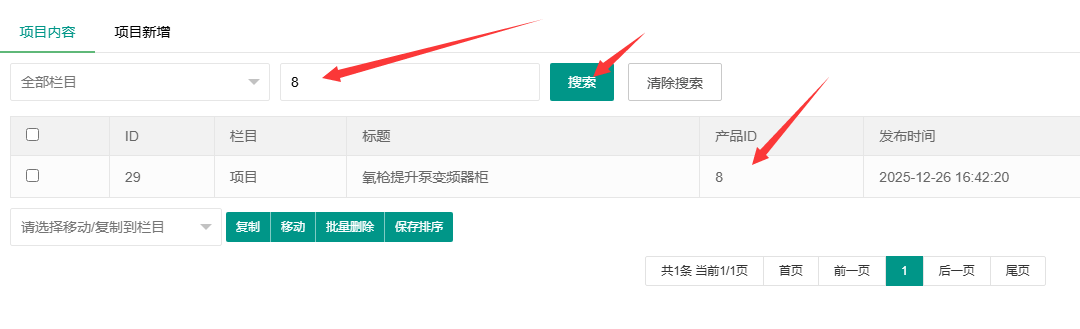

修改方法
需要修改的文件(加粗橘色为新增加的内容)
apps/admin/model/content/ContentModel.php
apps/admin/view/default/content/content.html
一、后台文章管理增加自定义字段的显示
首先在后台全局配置中增加模型字段并记录下字段名称如当行文本ext_chapinid(其他同理)
1、在ContentModel.php文件中做出如下更改
增加你添加的自定义字段,并增加数据库查询方法,最终代码如下:
- public function getList($mcode, $where = array())
- {
- $field = array(
- 'a.id',
- 'b.name as sortname',
- 'a.scode',
- 'c.name as subsortname',
- 'a.subscode',
- 'a.title',
- 'a.subtitle',
- 'a.date',
- 'a.sorting',
- 'a.status',
- 'a.istop',
- 'a.isrecommend',
- 'a.isheadline',
- 'a.visits',
- 'a.ico',
- 'a.pics',
- 'a.filename',
- 'a.outlink',
- 'd.urlname',
- 'b.filename as sortfilename', // 注意这里添加英文逗号(新增加)
- 'e.ext_chapinid' // 这里是你添加的自定义字段(新增加)
- );
- $join = array(
- array(
- 'ay_content_sort b',
- 'a.scode=b.scode',
- 'LEFT'
- ),
- array(
- 'ay_content_sort c',
- 'a.subscode=c.scode',
- 'LEFT'
- ),
- array(
- 'ay_model d',
- 'b.mcode=d.mcode',
- 'LEFT'
- ), // 注意这里添加英文逗号(新增加)
- array('ay_content_ext e', 'a.id = e.contentid', 'LEFT') //这里增加自定义字段的表(新增加)
- );
- return parent::table('ay_content a')->field($field)
- ->where("b.mcode='$mcode'")
- ->where('d.type=2 OR d.type is null ')
- ->where("a.acode='" . session('acode') . "'")
- ->where($where)
- ->join($join)
- ->order('a.sorting ASC,a.id DESC')
- ->page()
- ->select();
- }
2、在content.html对应位置添加下边代码即可
- <td>[value->ext_chapinid]</td>
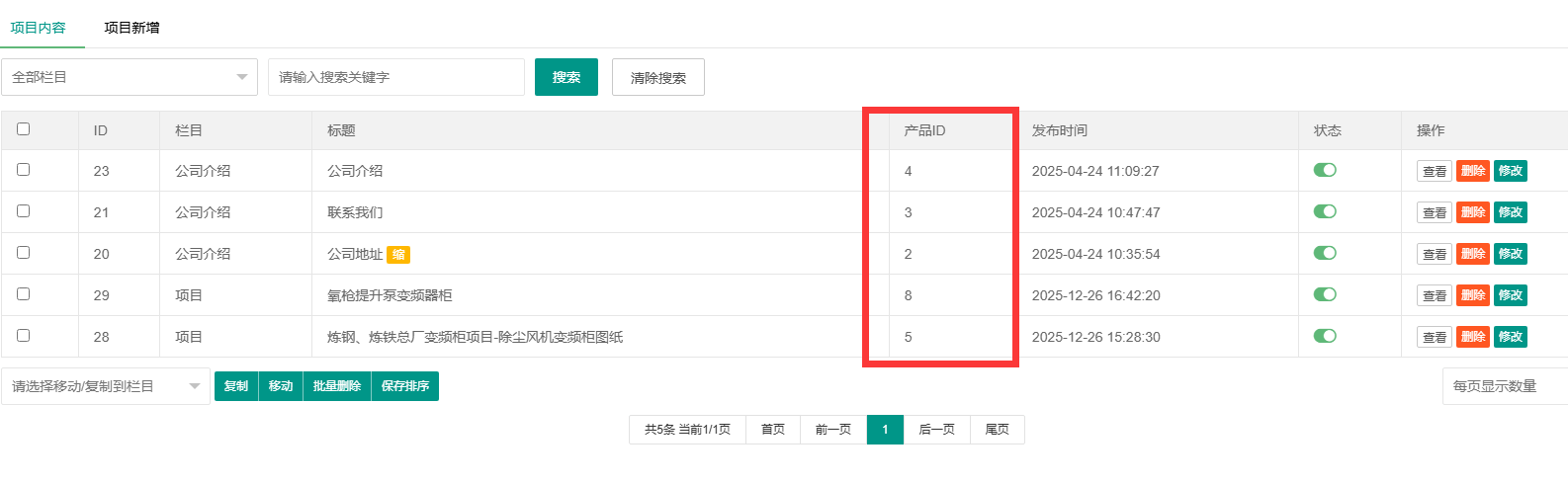
二、后台文章管理增加自定义字段的搜索
1、在ContentModel.php文件中做出如下更改
在下边两个函数中增加,增加的内容是一样的,最终如下:
public function findContent($mcode, $scode, $keyword)// 查找指定分类及子类文章
public function findContentAll($mcode, $keyword)/ 在全部栏目查找文章
- // 查找指定分类及子类文章
- public function findContent($mcode, $scode, $keyword)
- {
- $fields = array(
- 'a.id',
- 'b.name as sortname',
- 'a.scode',
- 'c.name as subsortname',
- 'a.subscode',
- 'a.title',
- 'a.subtitle',
- 'a.date',
- 'a.sorting',
- 'a.status',
- 'a.istop',
- 'a.isrecommend',
- 'a.isheadline',
- 'a.visits',
- 'a.ico',
- 'a.pics',
- 'a.filename',
- 'a.outlink',
- 'd.urlname',
- 'b.filename as sortfilename', // 注意这里添加英文逗号(新增加)
- 'content_ext.ext_chapinid'//这里增加要查询得自定义字段
- );
- $join = array(
- array(
- 'ay_content_sort b',
- 'a.scode=b.scode',
- 'LEFT'
- ),
- array(
- 'ay_content_sort c',
- 'a.subscode=c.scode',
- 'LEFT'
- ),
- array(
- 'ay_model d',
- 'b.mcode=d.mcode',
- 'LEFT'
- ), // 注意这里添加英文逗号(新增加)
- array('ay_content_ext content_ext',
- 'a.id=content_ext.contentid', 'LEFT') //这里增加自定义字段的表(新增加)
- );
- $this->scodes = array(); // 先清空
- $scodes = $this->getSubScodes($scode);
- return parent::table('ay_content a')->field($fields)
- ->where("b.mcode='$mcode'")
- ->where('d.type=2 OR d.type is null ')
- ->where("a.acode='" . session('acode') . "'")
- ->in('a.scode', $scodes)
- ->like('a.title,content_ext.ext_chapinid', $keyword)//这里加入查询的自定义字段
- ->join($join)
- ->order('a.sorting ASC,a.id DESC')
- ->page()
- ->select();
- }
上边这是 查找指定分类及子类文章 的代码,下边的 在全部栏目查找文章 的代码添加内容和上边的一致即可,然后在后台就可以搜索自定义字段了。